Pro AppmacOSSwift

Sync App Pro for macOS

A native macOS backup app built with Swift and SwiftUI — the successor to the Electron-based Sync App. ~5 MB app bundle, instant launch, macOS 26 Liquid Glass UI, and full Mac App Store compatibility.

Version 2.0 — Watch mode, SHA-256 verification, Liquid Glass UI, export/import settings

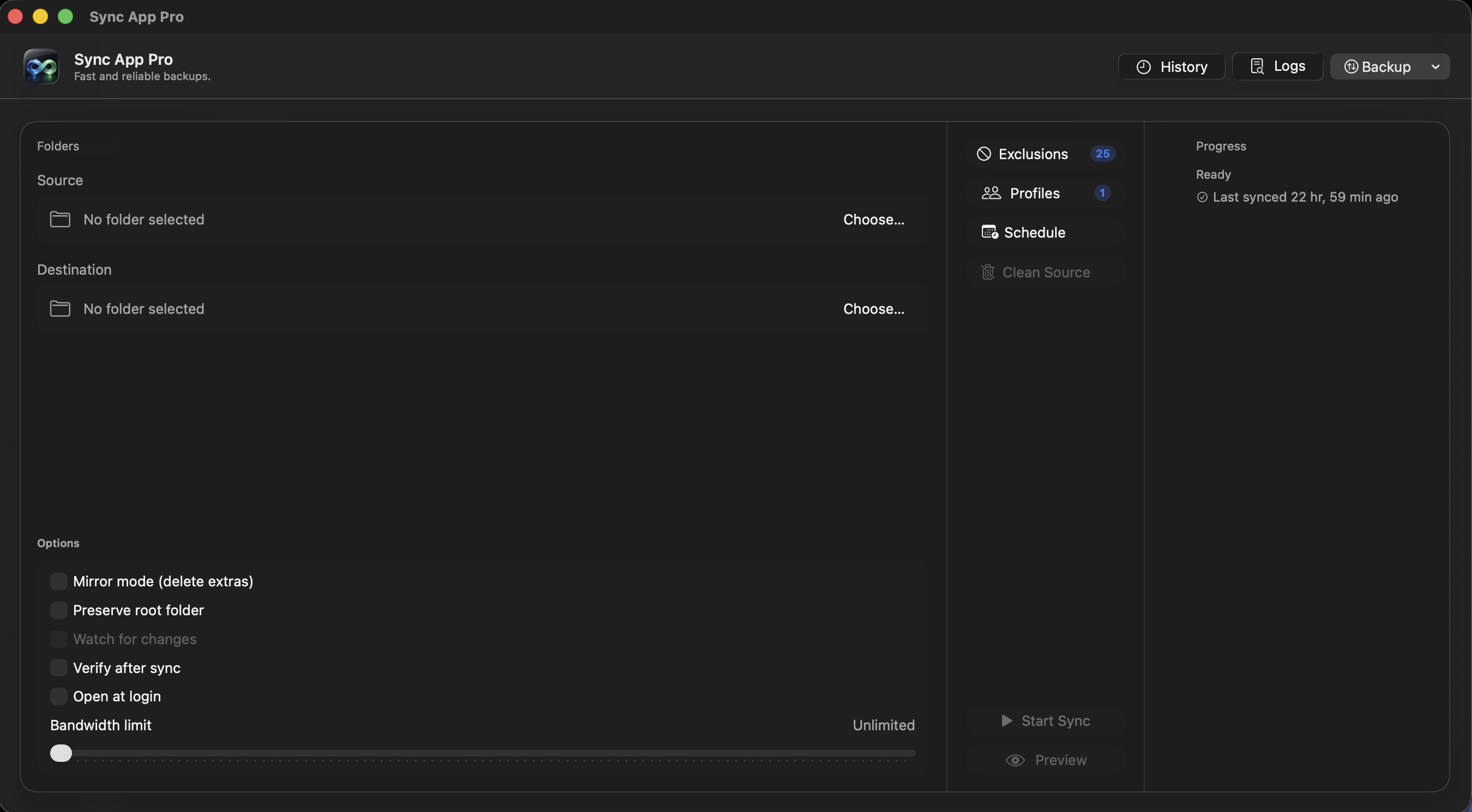
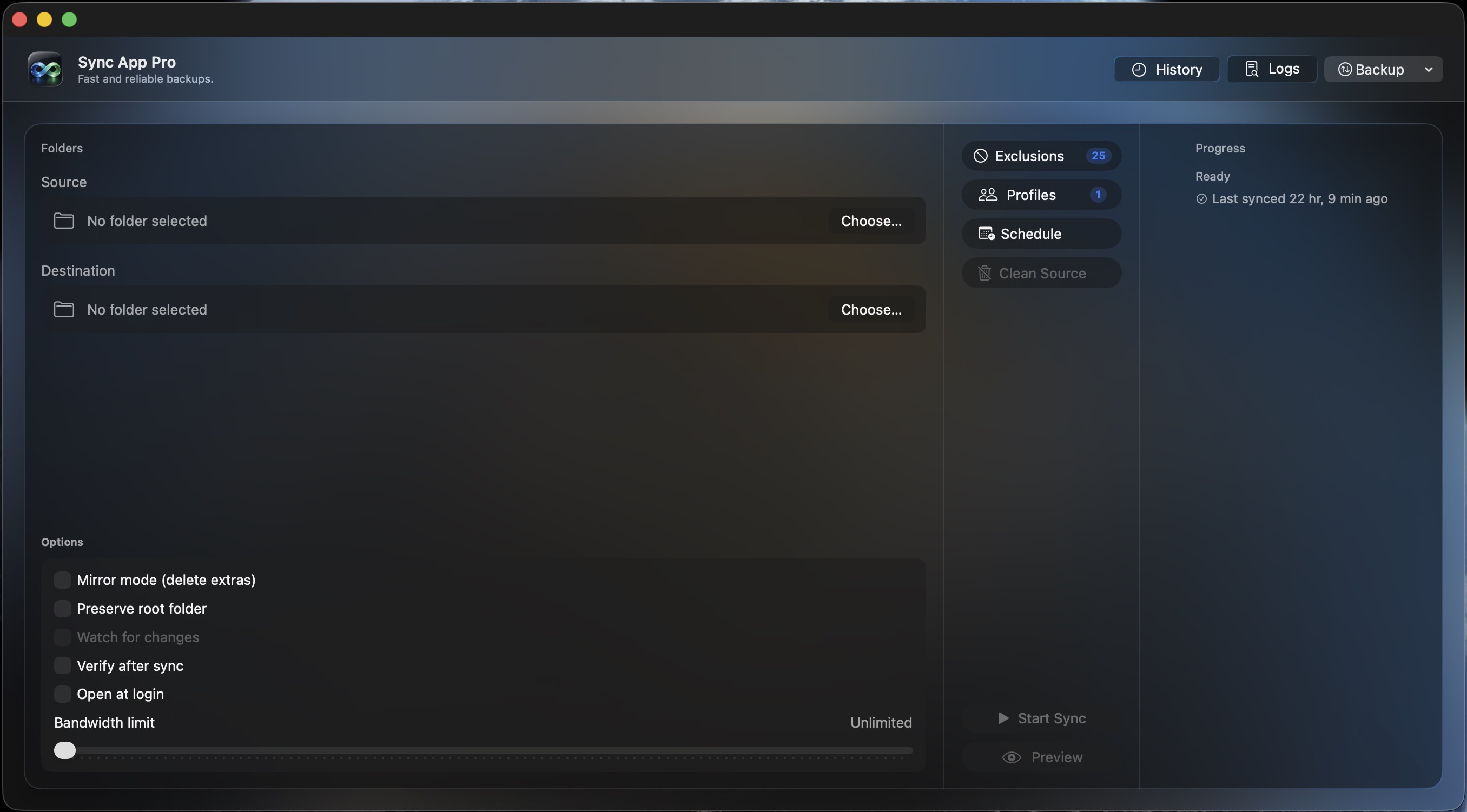
Sync App Pro v2.0 main interface with Liquid Glass UI, 3-column layout, watch mode, and verification options
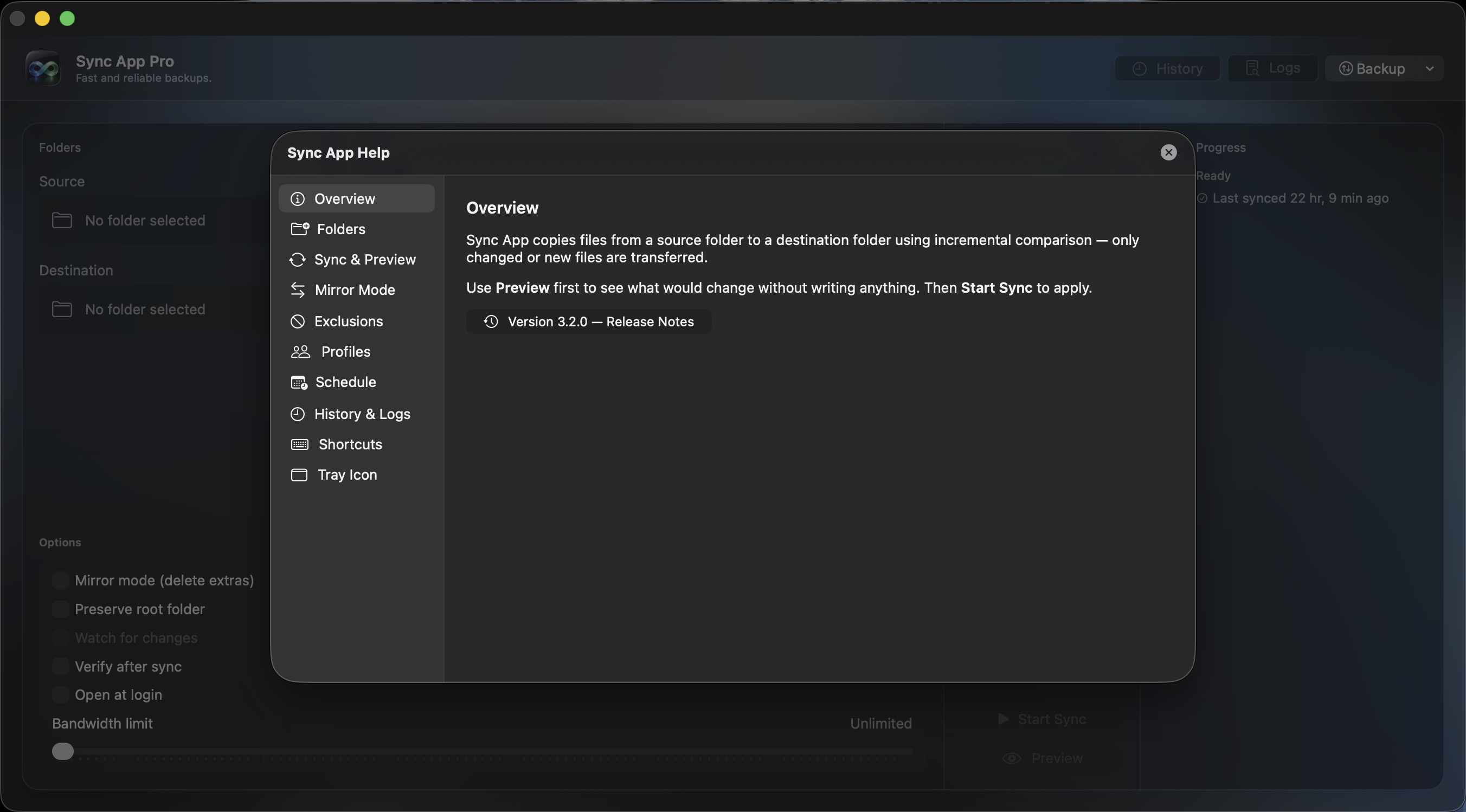
Sync App Pro Help window with sidebar navigation covering Folders, Sync, Mirror Mode, Exclusions, Profiles, Schedule, and Shortcuts
Comprehensive Help with sidebar navigation and version-linked Release Notes
Sync App Pro Terms of Use window with Liquid Glass styling showing Overview, Liability, Privacy, and Copyright
Terms of Use with consistent Liquid Glass design

Why Sync App Pro?

A complete rewrite of the Electron-based Sync App — now 100% native Swift/SwiftUI for Apple Silicon. No web runtime, no bundled binaries, just a clean native app that launches instantly.

  • ~5 MB app bundle — down from ~250 MB in the Electron version
  • Instant launch — no Chromium startup overhead
  • Liquid Glass UI — native macOS 26 glass design throughout
  • Watch mode — automatically syncs when source folder changes
  • SHA-256 verification — opt-in checksum comparison after sync
  • FileManager sync — no rsync dependency, pure Swift
  • Mac App Store ready — full App Sandbox, security-scoped bookmarks
  • Export/Import settings — backup and restore all profiles and preferences

Core Features

🔄 Incremental Sync Engine

  • • Copies only new and changed files via FileManager
  • • Hidden and dot-files included by default
  • • Per-file error handling — one bad file won't abort the run

👁️ Watch Mode

  • • FSEvents watcher with 5-second debounce
  • • Rapid changes batch into a single sync run
  • • Blue dot indicator when active

🔒 SHA-256 Verification

  • • Opt-in checksum comparison after every sync
  • • Failures surfaced in progress, log, and notifications
  • • Verifying phase in progress display

🪟 Liquid Glass UI

  • • macOS 26 native glass design on all surfaces
  • • Glass modals, buttons, inputs, and panels
  • • Frosted material for consistent readability

💾Profiles & Exclusions

  • • Save named source/destination pairs with options
  • • Per-profile exclusion patterns with toggle persistence
  • • Duplicate name validation with inline feedback

📅 Scheduling

  • • Hourly, daily, and weekly automated syncs
  • • Minute-level precision for daily/weekly schedules
  • • Security-scoped bookmarks for unattended runs

📦Export & Import

  • • Export all profiles, exclusions, and schedule to JSON
  • • Import with confirmation dialog and profile count
  • • Accessible from header and tray icon

📊History & Notifications

  • • Full run history with file counts, sizes, and duration
  • • Push notifications on completion, cancel, or failure
  • • Menu bar tray with last sync status and tooltip

Electron vs Native Swift

Sync App Pro is a ground-up rewrite — same backup workflow, completely different foundation. Here's how the two compare:

 Sync App (Electron)Sync App Pro (Swift)
RuntimeChromium + Node.jsNative SwiftUI
Sync engineBundled rsync binaryFileManager
App bundle~250 MB~5 MB
Launch time2–4 secondsInstant
UI frameworkElectron/CSSmacOS 26 Liquid Glass
Mac App Storev3.0.0v1.0.0
Security-scoped bookmarksNoneFull implementation

🚀 From Code to Release: A DevOps Approach

Just like the original Sync App, every release follows a repeatable CI/CD pipeline — tag a version, GitHub Actions builds and signs the app, and artifacts land on the Releases page automatically.

The Release Routine

# 1) Develop and test in Xcode
⌘R

# 2) Push code to main
git push origin main

# 3) Tag the version (triggers CI/CD)
git tag v2.0.0
git push origin v2.0.0

# 4) GitHub Actions builds on macOS 26 runner
# 5) DMG/ZIP attached to GitHub Release
# 6) Users download from Releases page

Why This Matters

Repeatable

Every release follows the same process — no manual steps, no surprises.

Traceable

Every binary maps to an exact commit and tag — full audit trail.

Native Build

Built on macOS 26 runners with Xcode 26 — native arm64 binaries, no cross-compilation.

App Store Ready

Full App Sandbox entitlements and hardened runtime from day one.

🛠️ Tech Stack

Runtime & UI

  • • Swift (application logic)
  • • SwiftUI (declarative UI)
  • • macOS 26 Liquid Glass design system

Build & Release

  • • Xcode 26 (build & archive)
  • • GitHub Actions (CI/CD on macOS 26 runner)
  • • App Sandbox + hardened runtime

Sync Engine

FileManager incremental comparison — no rsync, no bundled binaries. Copies only new and changed files using native Swift APIs.

📋 Requirements

  • macOS 26.0 or later
  • Apple Silicon (arm64) — native performance on M-series Macs
  • No external dependencies — everything is built in

Ready for native-speed backups?

Download Sync App Pro

Free and open source • Coming soon to the Mac App Store

Interested in my approach to building native macOS apps? Let's talk